CECABA
From an app that only signed to the complete notarial operation
The Colegio de Escribanos de la Ciudad de Buenos Aires needed a platform to transform signature bureaucracy: stop being a digital stamp and start covering the meeting, identity, case file, and minutes — without sending the signer to the office because of a tool failure.
Client
College of Notaries (CABA)
Role
UX Lead
Time
1 year
Stakeholders
Notaries, signers, Colegio operations
Executive view
The case at a glance
As UX Lead, for a year I assessed the signing app the Colegio already used and led the reengineering. The previous product only allowed signing. Everything else about the act—who needed to be present, whether identity was proven, which file was being signed, whether the session was still alive—lived outside: paper, phone, and, very often, a visit to the office.
The answer was not a prettier sign button. It was a notarial operations platform: session, work home, meetings, requirements book, participants, search, files, mobile login, OTP, and liveness with AWS Rekognition.
Summary
Choose a language to play
Generated with NotebookLM from an explanatory case brief. It does not include personal data, deeds, or sensitive client or signer information.
Role
UX Lead
Assessment of the legacy tool and end-to-end reengineering.
Time
1 year
Diagnosis, Double Diamond, and a prototype master ready for handoff.
Apuesta
Plataforma, no sello
From “sign this” to meeting, identity, case file, and deed.
01 — Context
Situation
Notaries in CABA certify acts between private parties: identity, consent, and a record that must hold up afterward. The signer is not a software operator; they are a citizen who needs to complete an act. The Colegio sits in the middle: it sets the professional standard and operates the digital channel notaries should use.
That channel already existed. The Colegio was not starting from scratch. It had an app. The request was something else: a platform that would absorb the bureaucratic signature processes that still depended on physical presence.
The complication
What the assessment made impossible to disguise
The app was outdated, poorly built, and designed around a single job: applying a signature. It offered no flexibility when the act was more than “open, seal, close.”
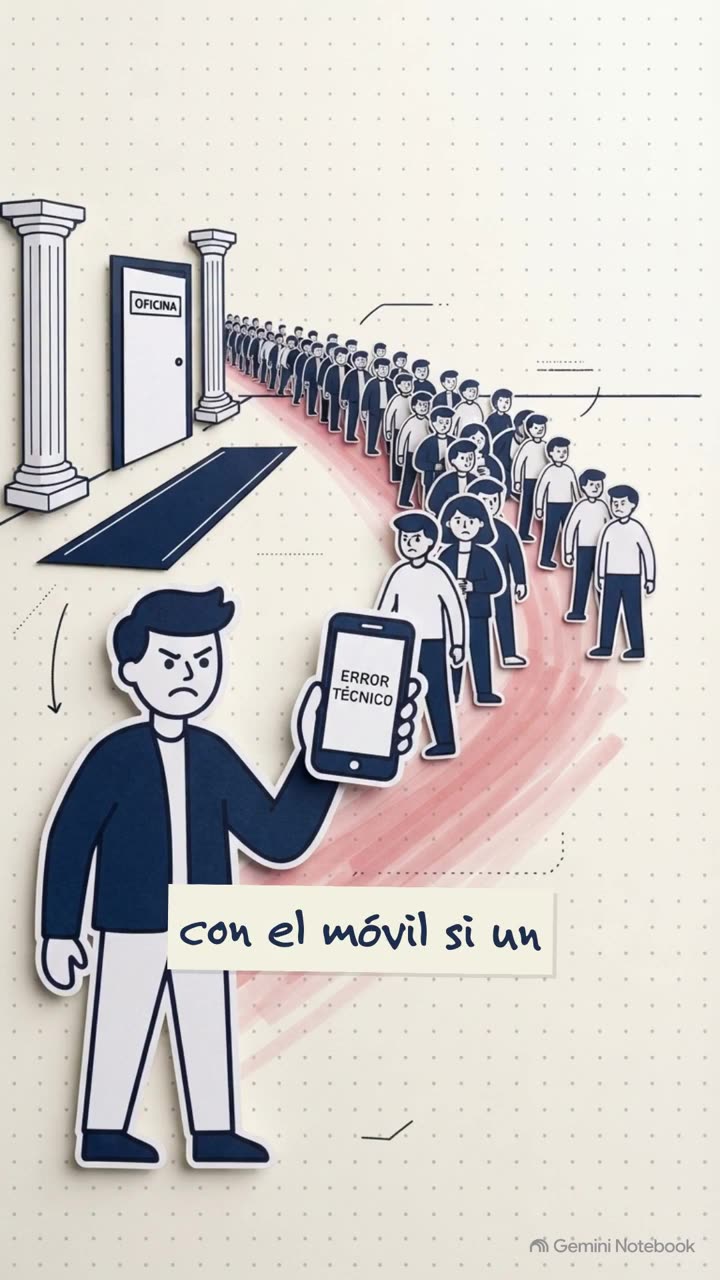
In practice, signers went to the office because of technology shortcomings, not always because of a legal requirement. The seal was on the screen. The bureaucracy was still in the hallway.
We treated the tool as a product to diagnose, not as an interface to retouch. These were the structural failures — later inverted in the Master.
01
Sign only, no flow
There was no meeting, agenda, or record as product objects. You could not create, clone, or cancel the act as an operation.
02
The office as a workaround
If identity, the connection, or the document package failed, plan B was in person. The signer traveled because of a hole in the software.
03
Identidad offline
There was no serious remote liveness challenge. Without OTP or liveness, a remote signature was an act of faith.
04
Hallway participants
Who was tied to which file, and in what order, was oral knowledge. Reordering parties was not a designed flow.
05
No operational memory
There was no requirements book, search, or filters as IA. Finding “Thursday’s meeting” was a phone call.
06
Sessions that die in silence
Hostile loading and expired-session states. The notary lost context and was sent back to login, sometimes with the citizen sitting in front of them.
07
Designed for desktop only
Joining from the phone —the device the signer already has— was not a designed path.
08
No system beneath the screens
Inconsistent components and language. Every new type of act was another loose screen: that is how notarial software ages.
The question
What we actually had to solve
It wasn’t “how do we make a clearer signature button?”. It was: How do we give the College an operating system for the notarial act so a citizen can complete the procedure without being punished by the stack?
If the solution did not cut forced office visits, it was not reengineering. It was cosmetic.
02 — Process
Double Diamond: diagnose, then rebuild
The framework is the Design Council’s Double Diamond: Discover → Define → Develop → Deliver. We did not start in Figma. We started with an as-is assessment: the notary’s and signer’s jobs, where the flow dropped back to the office, and which legal artifacts had no digital home.
Discover. We mapped the real ritual: schedule, identify, gather parties, attach instruments, sign, produce the minutes. We listed every moment when the app went silent.
Define. The problem was not a prettier stamp. The College needed a notarial meeting system. The product nouns became meeting, party, case file, and minutes.
Develop. Information architecture and flow reengineering in the master: Home, Meetings, Requirements book; login, loading, and expired session states.
Deliver. High-fidelity flows plus an open UI kit so the next type of act does not invent another visual language.
The product’s source of truth lives in the master.
Open the CECABA master prototype in Figma
01
Discover
Assessment of the legacy app. Notary vs. signer jobs. Where bureaucracy leaked into the office.
02
Define
Framing: a platform for the act, not a stamp utility. Objects: meeting, party, case file, deed.
03
Develop
IA, flows, and edge cases: expired session, empty search, reorder participants, cancel.
04
Deliver
Master + UI kit foundation. Prototype screenshots exported under each block.
How we worked
The same cadence as in RUBI and Cannect: sprint files for exploration, a master for what is validated, a kit for components. A notary will not forgive an ambiguous dialog that cancels a meeting. Every destructive action (cancel, expire session, unlink) needed an explicit state—not a silent fail.
03 — Product
The answer, mapped to the pain
Each block flips a pain point from the assessment. The screenshots are real product screens (backoffice and app), not the flow boards from the Figma file.
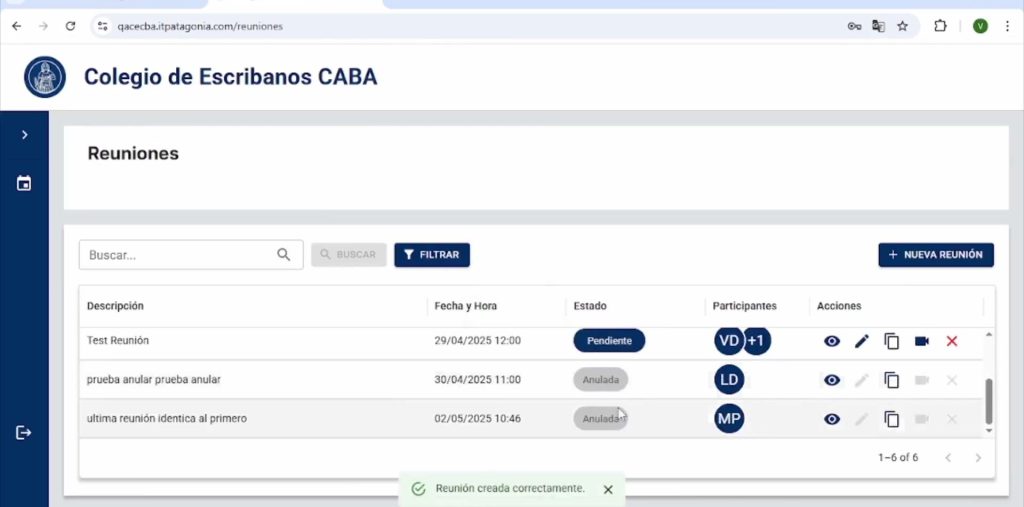
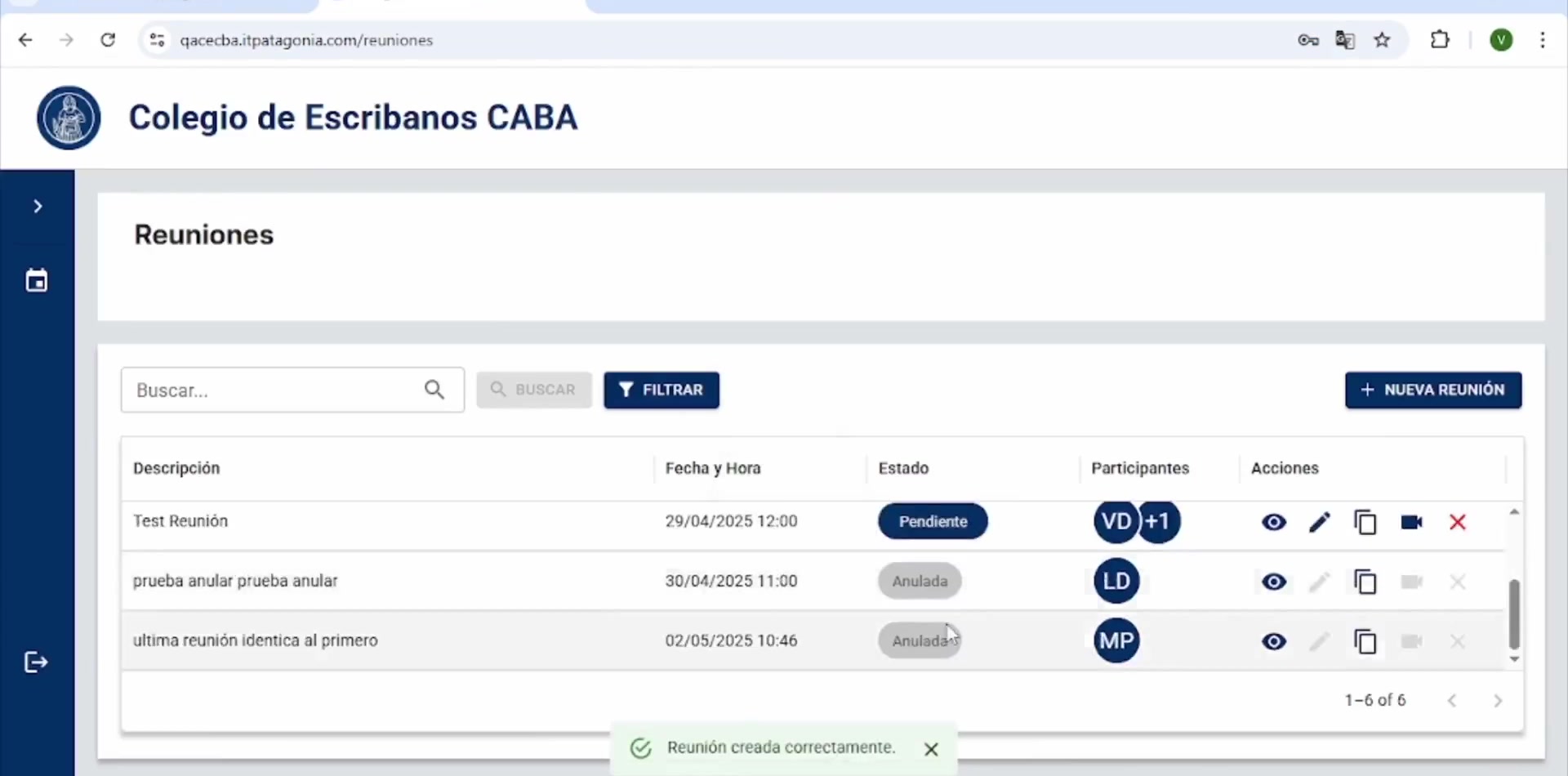
Reuniones
The unit of work, not the stamp
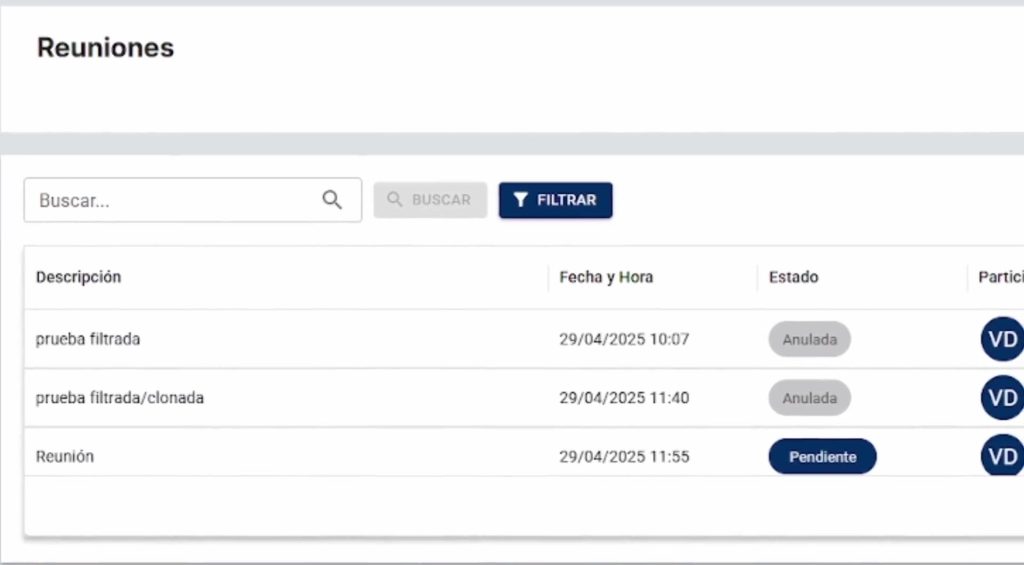
Create, view, edit, clone, and cancel. Date, start and end time, notes. The calendar of the act—not a leftover form. The list is operable: search and filter without tribal knowledge.
Identidad remota
OTP + liveness check
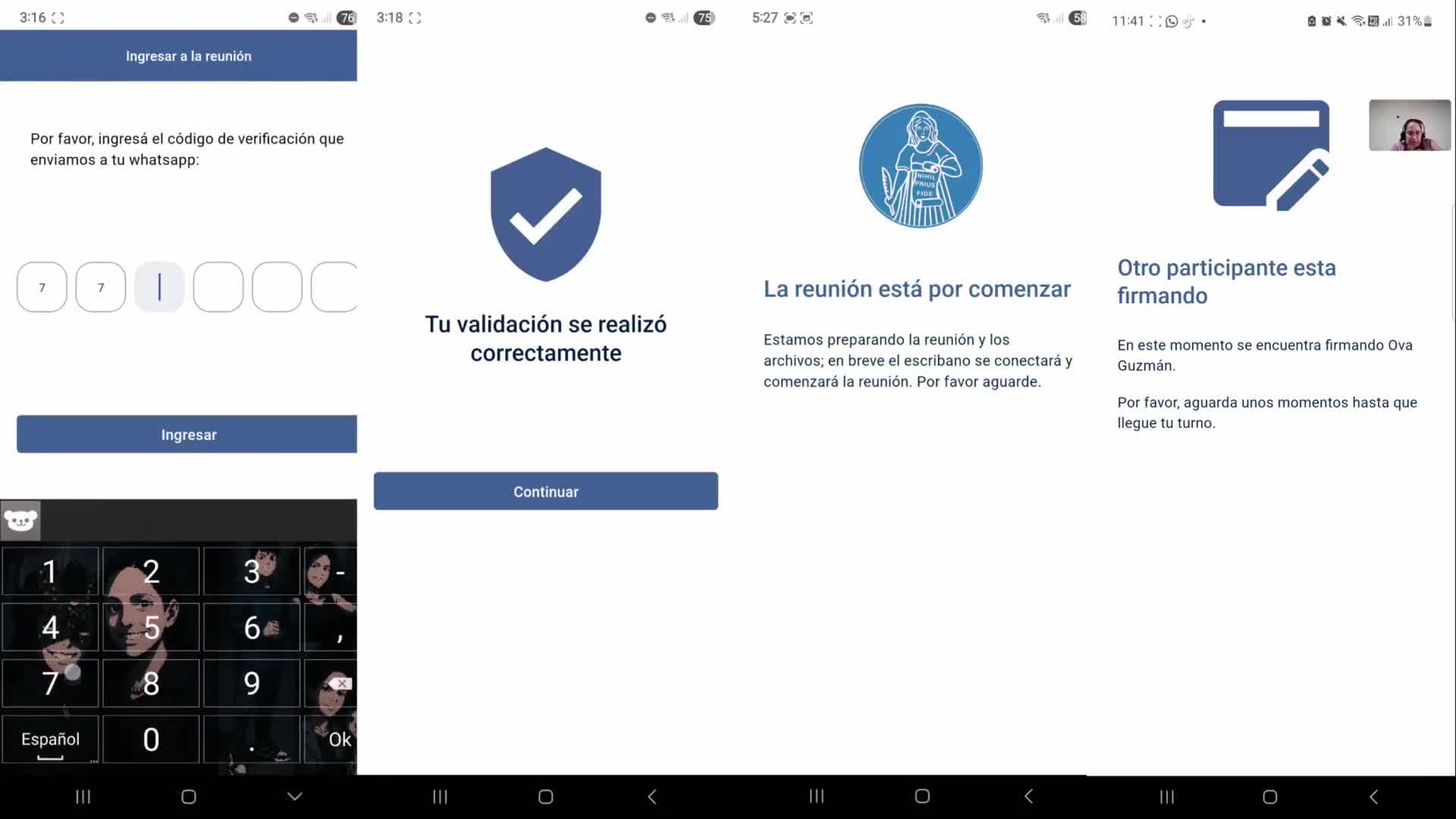
The signer joins from their phone with a one-time code. If the meeting requires a biometric challenge, AWS Rekognition Liveness is in the flow: who is on the other side is no longer an act of faith—and no longer requires the front desk.
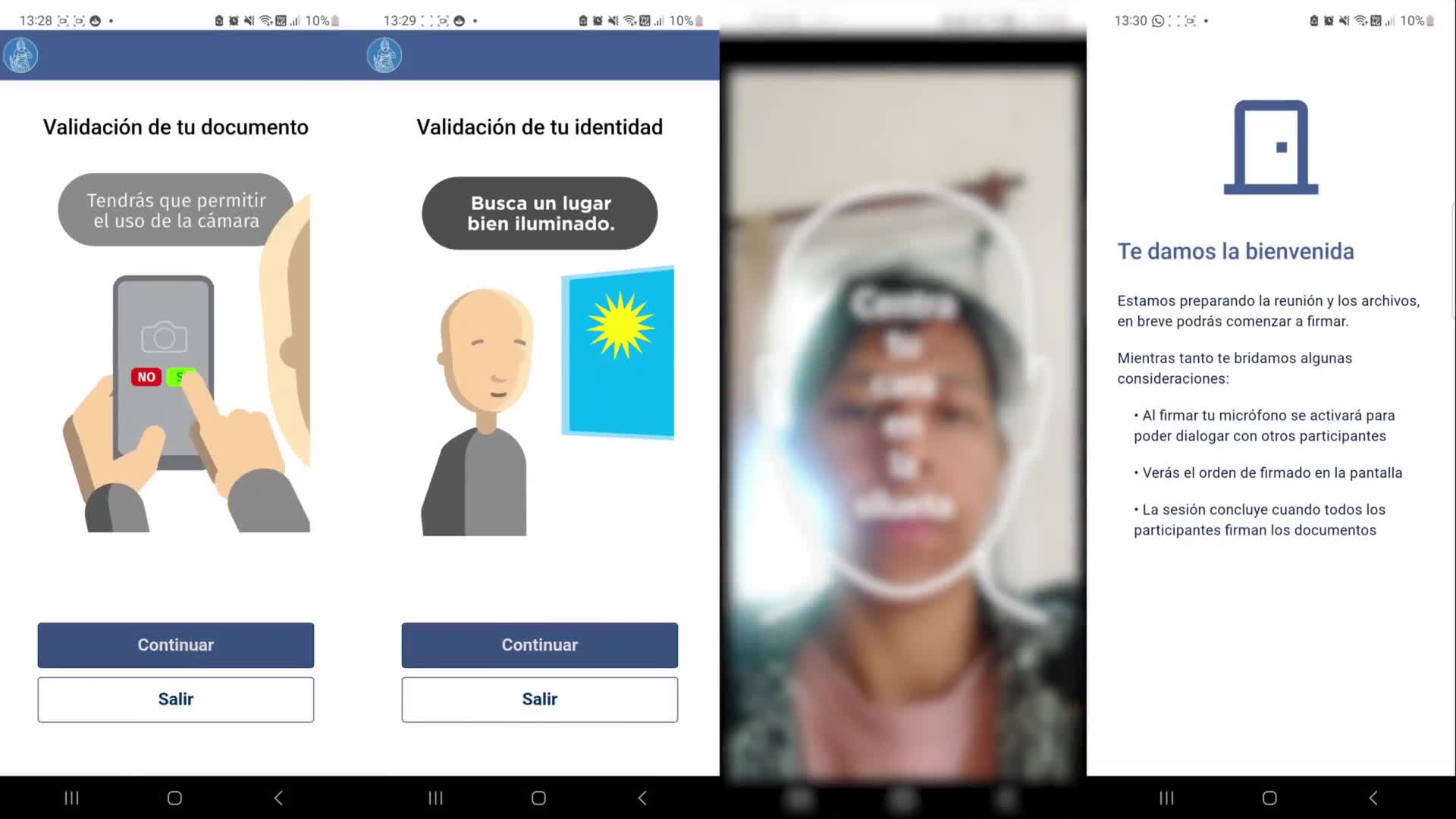
Mobile — join the meeting
A job distinct from the notary’s
The signer does not manage the College’s backlog. They arrive, authenticate, and take part. That is why “Join the meeting” is its own flow, not a shrunk-down desktop.
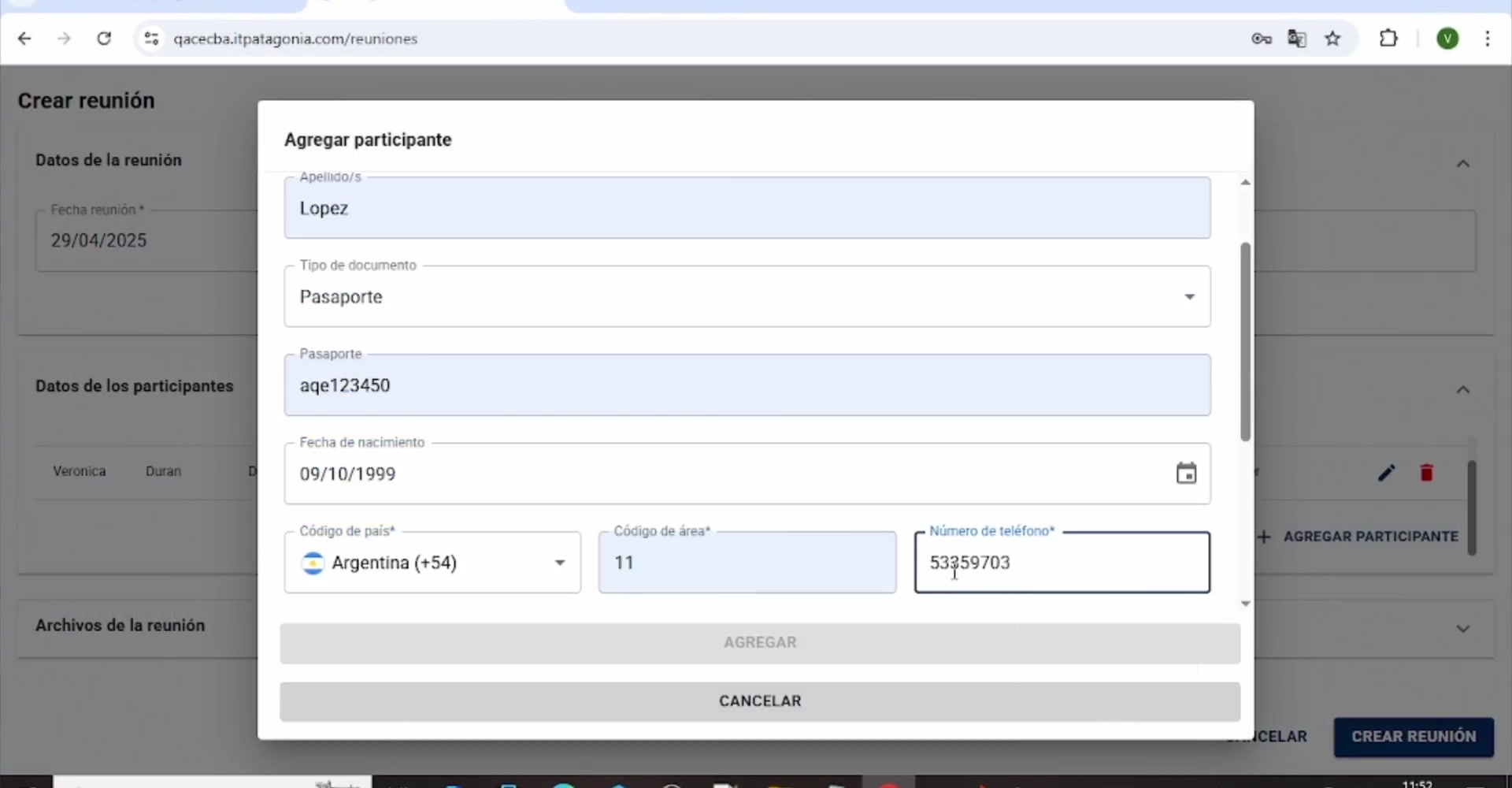
Participantes
The parties as data, not as rumor
Link people to the file and reorder them. The legal sequence of the parties is a feature: ID, contact, validation type (none, biometrics, RENAPER, or both).
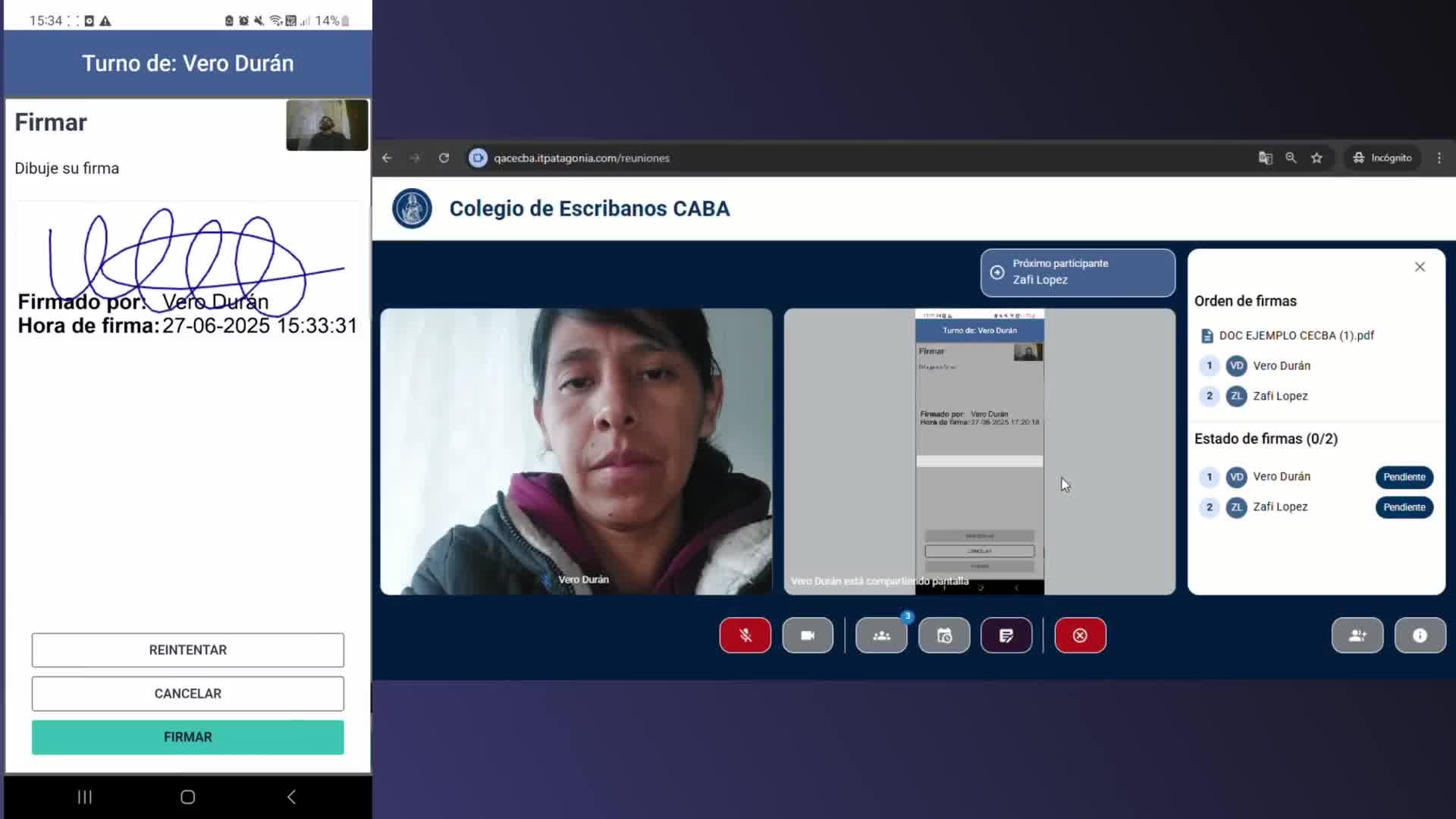
Playbook and live session
From the case file to the act
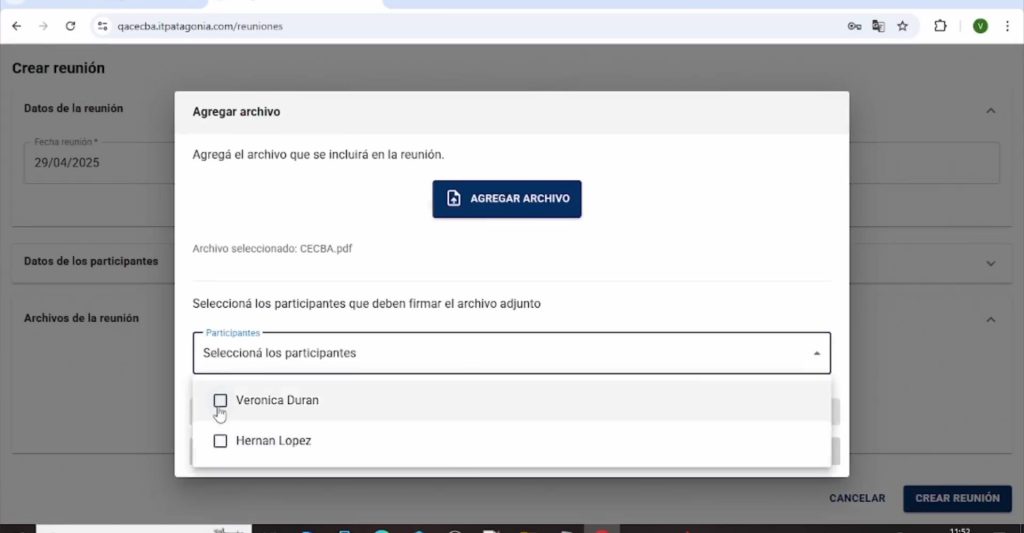
The requirements book stores the minutes. During the session, the notary manages the signature order, the document, and the video; the signer signs from their phone at the same time.
Files in context
The case file travels with the meeting
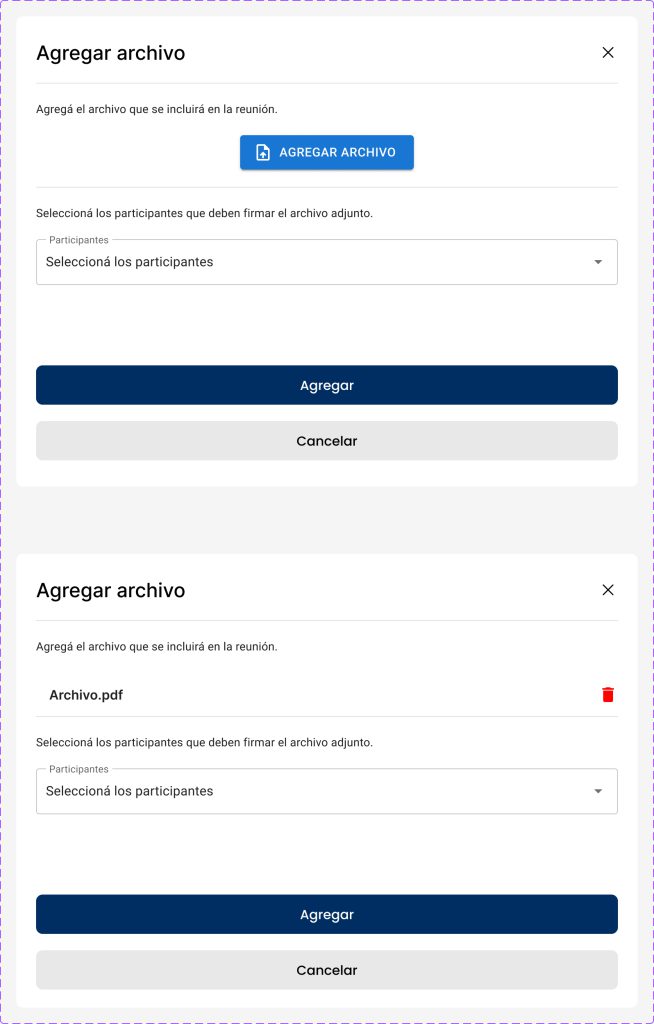
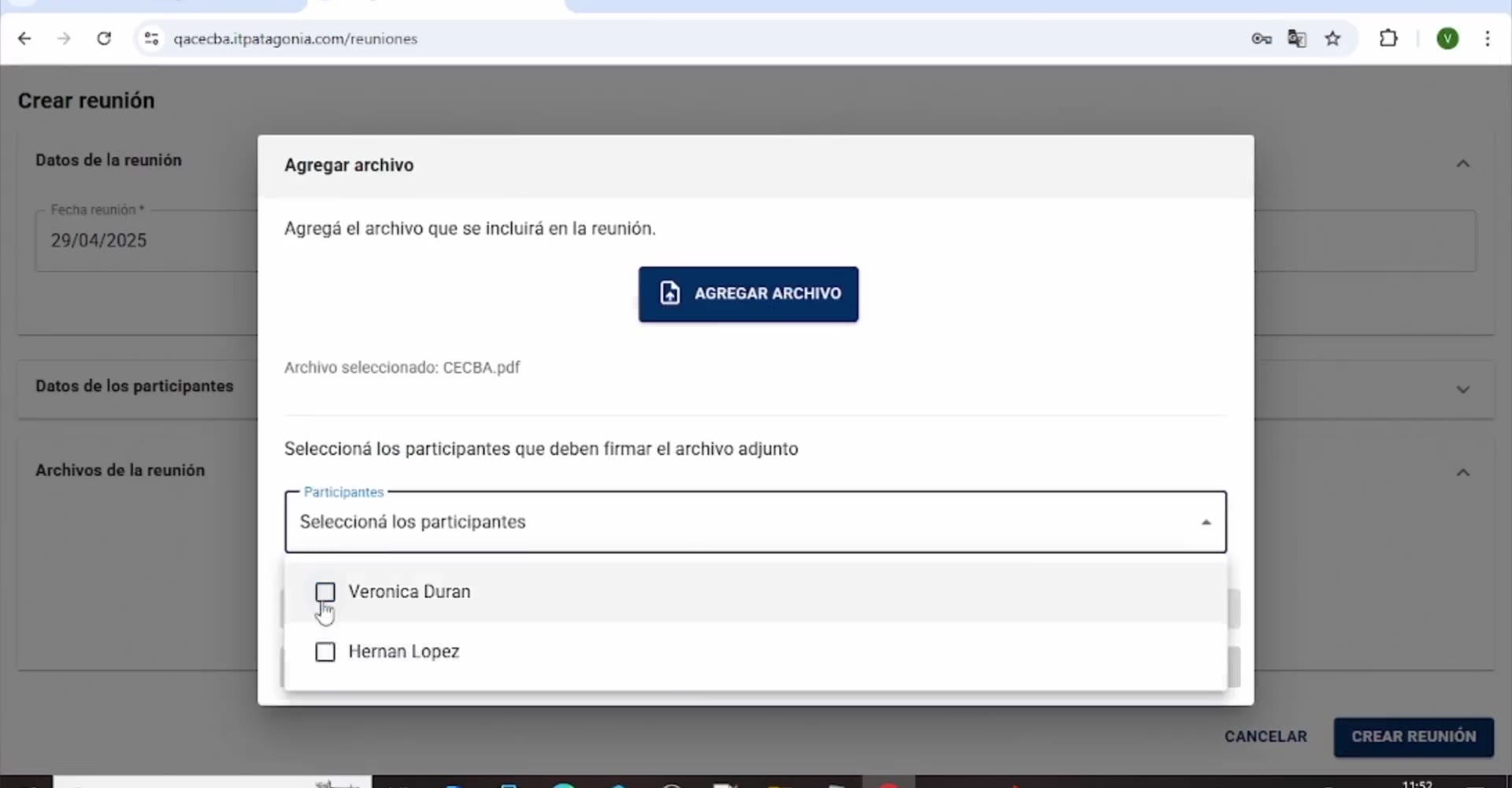
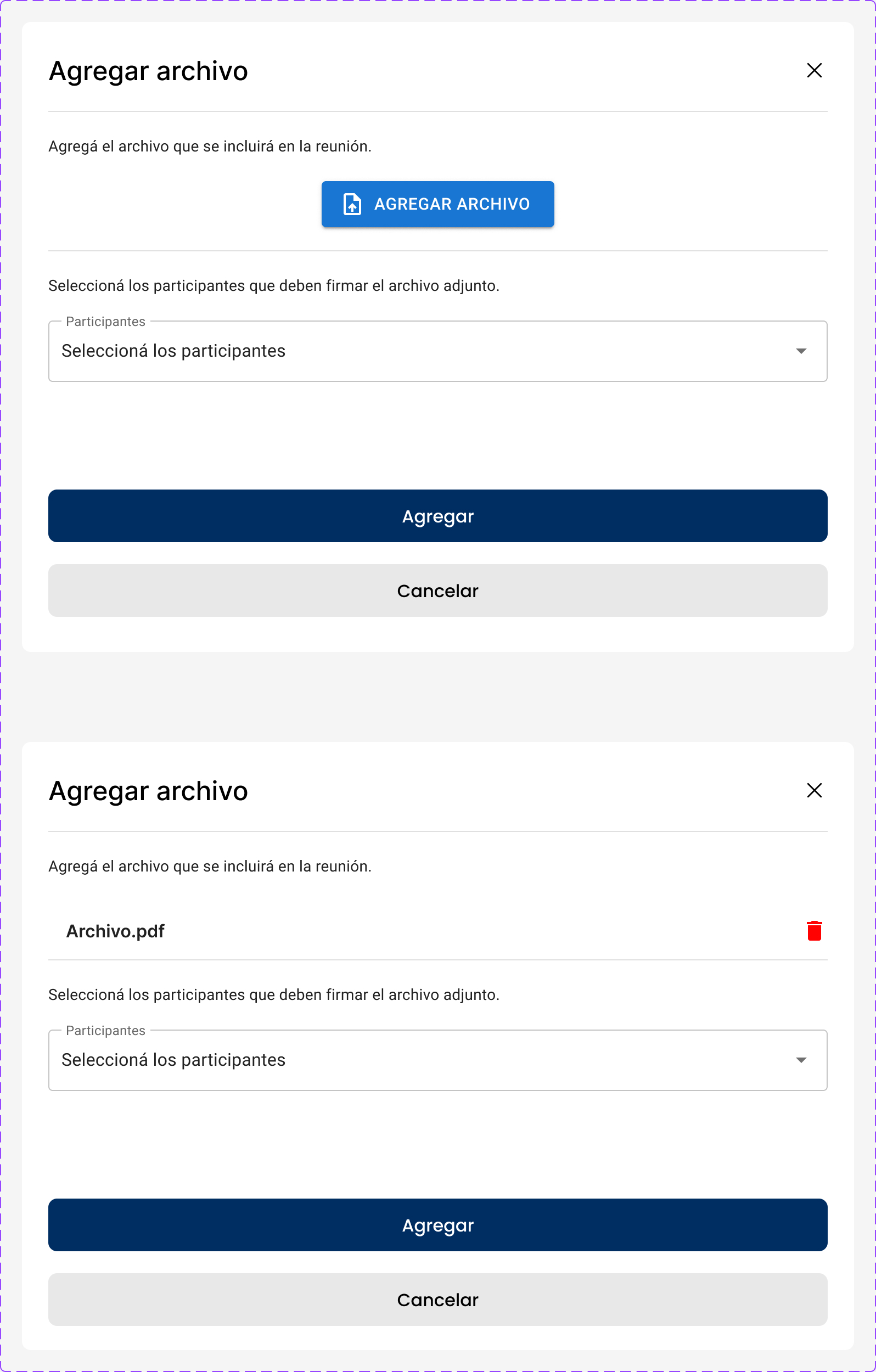
Attach instruments so they enter the act, not an email thread. The upload component lives in the kit so it is not reinvented for every type of procedure.
Session and home
Design the failure, not just the login
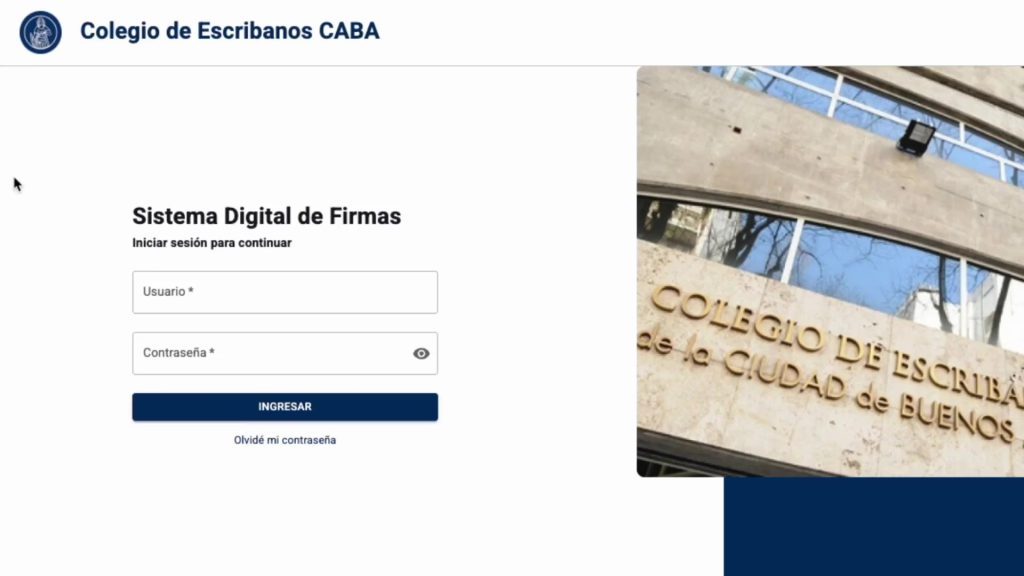
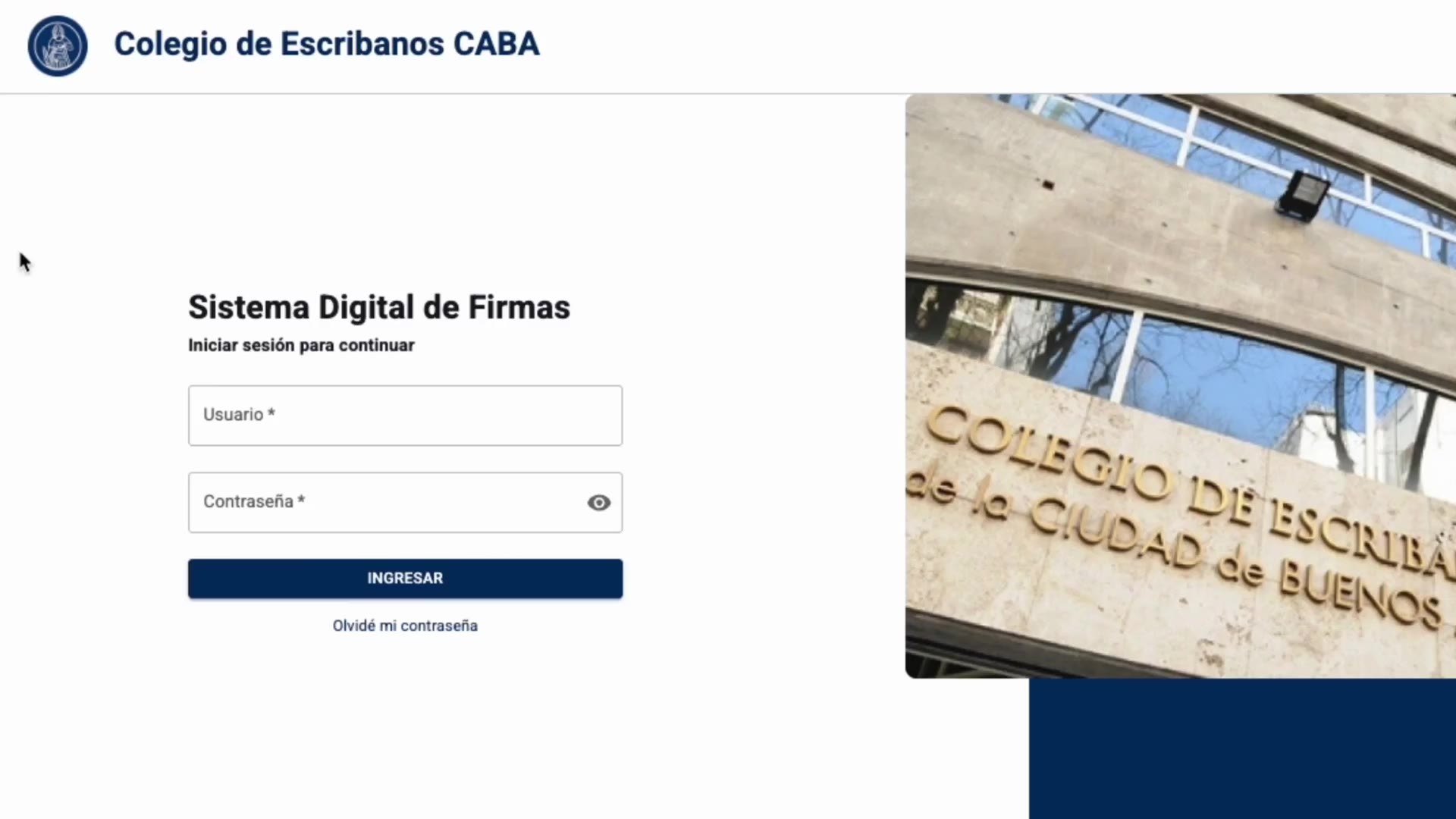
Explicit loading and expired-session states so the notary is not dropped onto a blank screen mid-act. Home lands on work in progress, not a bare signature control. The menu fits in four items: Home, Meetings, Book, sign out.

Federalization
From CABA to the Nation
The product was not conceived for a single colegio alone. We produced an audiovisual package—an onboarding script plus a spot/demo—to present it to Javier Milei’s National Government at Casa Rosada, with the goal of federalizing CECABA across notary colegios nationwide.
The script (ONB CECABA) defines two tracks: a back office for the notary (creating a meeting, participants, documents, WhatsApp) and an app for the signer (notification, OTP, biometrics, live signature). Institutional tone, a 3–4 minute educational piece; the demo taken to Casa Rosada closes that story in ~2 minutes, original 4K.
04 — Outcomes
Impact modeled from the assessment
Design metrics: as-is baseline versus the reengineered flow. They help read the bet, not as a national production dashboard.
Viajes
−72%
Estimated drop in office visits caused only by identity or session failure, not by a legal requirement.
Meeting creation
38 min → 6 min
From assembling the act by phone, mail, and folder to a backoffice intake with parties and PDFs.
Sesiones rotas
−31 pp
The as-is silently lost ~31% of sessions. Explicit login, loading, and expiry states cut that leak.
Identidad
90 min → 12 s
A counter to “prove who you are” versus OTP + liveness on the phone the signer already has.
Operation
+64%
Meetings recoverable by search/filter without calling a colleague who “has the file”.
Escala
24 colegios
TAM of the federalization: provincial colleges the Casa Rosada spot was meant to open a conversation with.
Learnings
What I would repeat — and what would come next
01
Not polishing a stamp
If the legal ritual has five steps and the software has one, it is not a UI bug. A product is missing.
02
Naming the objects
Meeting, party, case file, deed. Once those nouns exist in the IA, clone, cancel, and reorder stop being exotic.
03
Lo remoto es confianza
Liveness and OTP are not decoration. They are how the office is retired as the default identity provider.
04
Telling the product story
The script and the demo are not separate marketing: they are the same mental model (backoffice + signer) as the master.
If there were more time
Measure trips avoided and deed-closing time against the as-is in real notary offices. Test liveness with signers, not only the happy path. Close the UI kit enough so development does not improvise components in the next act—and, if federalization advances, adapt onboarding to each colegio without breaking the core.
Other cases

Design Ops — Full initiative
Design Ops — Full initiative
OPTI
OPTI
Cannect Mobile
Cannect Mobile
Cannect
Cannect
RUBI – GCBA
RUBI – GCBA
ICBC YOY UX Design Ops
ICBC YOY UX Design Ops

ICBC Auto Pledge Loans
ICBC Auto Pledge Loans

Traza